
StellarCanvas — This StellarCanvas manual is adapted from the Krita documentation. Because StellarCanvas includes HarmonyOS-specific changes, some features, interface details, and behavior may differ from this manual.
Python Plugin Manager
This is part of StellarCanvas’s python support.
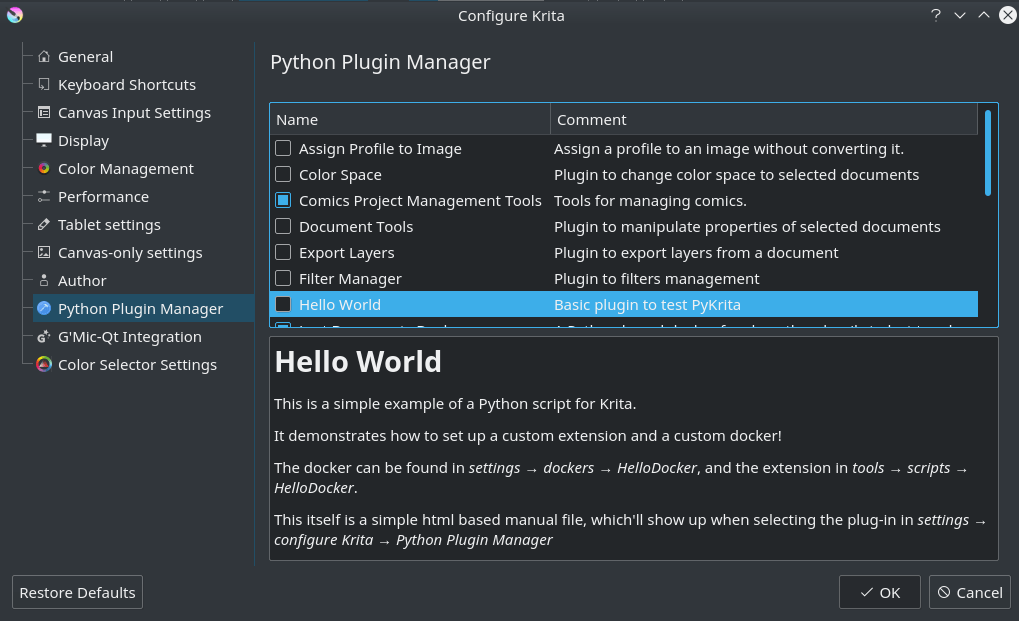
The python plugin manager can be accessed from . It allows you decide which of the Python Plugins are active.
It will show you a list of python plugins StellarCanvas has found, as well as their description. By default, Python Plugins are disabled, because many python scripts are autostarted, so this ensures only the ones you want to run are being run.
You can use the checkboxes to toggle them. A restart is required to complete switching off or on the python plugin.
If you  a plugin, and the plugin has a manual, StellarCanvas will display it in the box at the bottom.
For more information on python, check the python scripting category.